![Copy of logo-wide-full (1).png]](https://support.getintheloop.ca/hs-fs/hubfs/Copy%20of%20logo-wide-full%20(1).png?height=35&name=Copy%20of%20logo-wide-full%20(1).png)
Overview
As part of the base tier of Social AI, customers can select from various brand and content controls to better align social content to their desired preferences.
All controls are available within the Settings section of the Business Dashboard.
Select Settings from the Social AI Tap
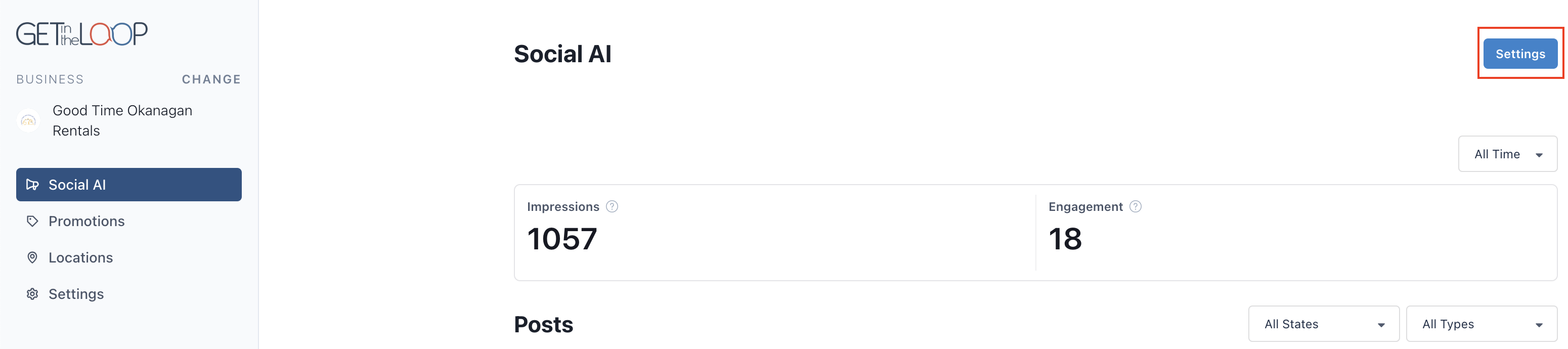
Brand Settings
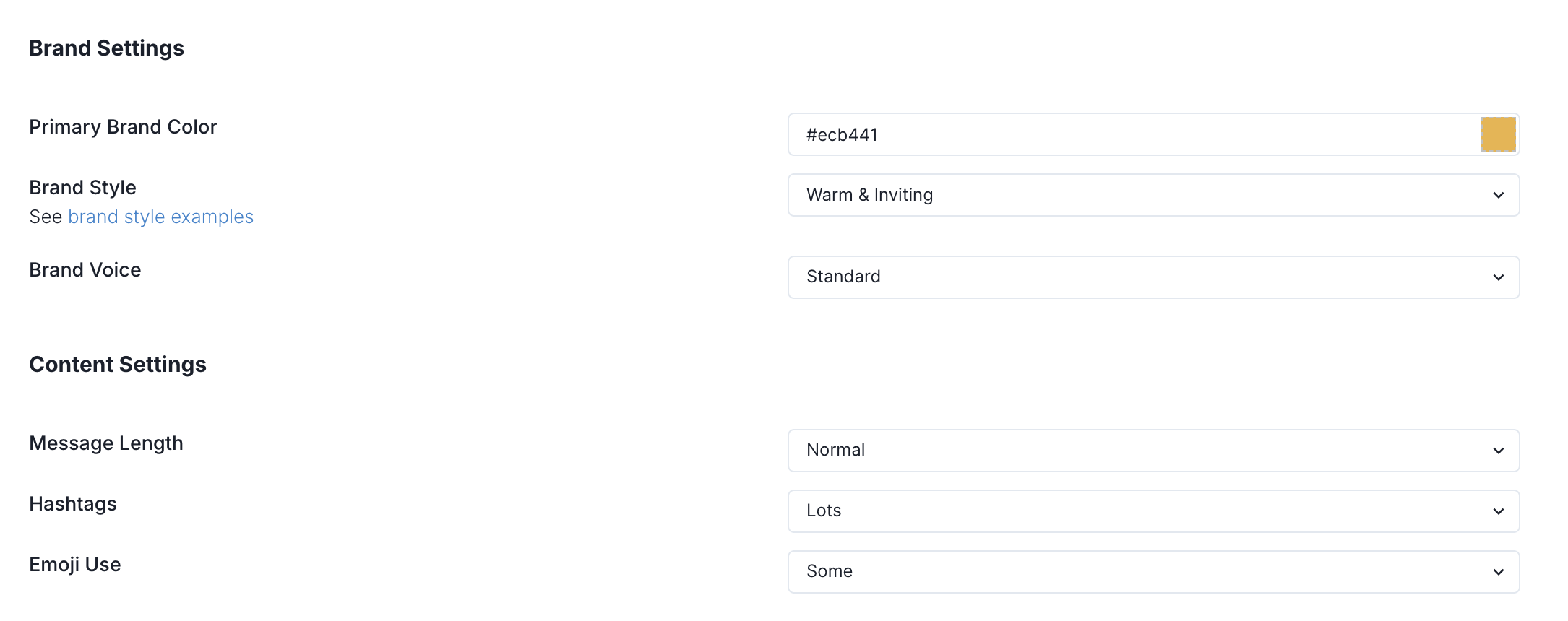
Brand Settings
Brand Color
The business brand color is a foundational choice that impacts the visuals in many of the Social posts that will go live on a businesses feed. A hex code can be specified so the exact brand color is matched as well as a color wheel is available.
Brand Style
There are various brand styles available to choose from that dicate the social post style used in all post and stories. The customer success team will recommend the style that best aligns to your brand but visual examples of each can be found in the Brand Style Examples page.
Brand Voice
Control the style, tone, and personality used in written communication, ensuring consistency across all content. This options controls how the brand “speaks,” influencing aspects like formality, emotional tone, and language style—whether the voice is casual and friendly or professional and authoritative. See Brand Voice Examples and the differences between each.
Content Settings
Message Length
Control the caption length of each post. See examples of the different options on the Content Settings Examples page.
Hastags
Control the number of hashtags that are added to the end of each caption. See examples of the different options on the Content Settings Examples page.
Emoji Use
Control the number and frequency of emoji use on each posts caption. See examples of the different options on the Content Settings Examples page.