![Copy of logo-wide-full (1).png]](https://support.getintheloop.ca/hs-fs/hubfs/Copy%20of%20logo-wide-full%20(1).png?height=35&name=Copy%20of%20logo-wide-full%20(1).png)
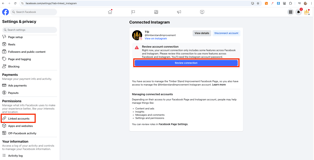
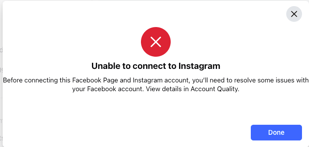
If a Business Facebook page is unable to link an Instagram account and a pop-up appears stating to 'Review Connection' and view details in Account Quality, follow these steps to resolve the issue:
-
Access Meta Business Suite
-
Navigate to Meta Business Suite
-
Ensure you are logged in with the correct Facebook Business account.
-
-
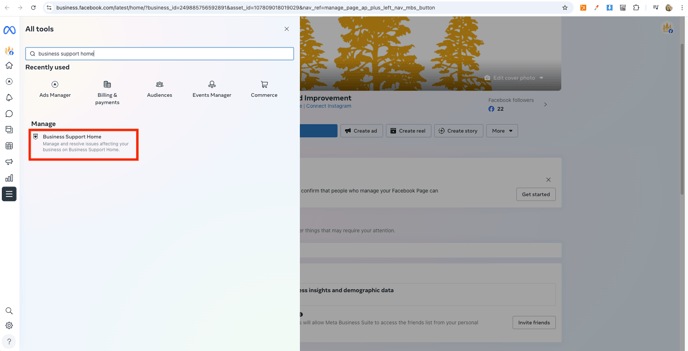
Locate Business Support
-
Click on All Tools in the left-hand menu.
-
In the search bar, type Business Support and select it.
-
-
Check Account Overview
-
In the Business Support section, click on Account Overview.
-
Under My Accounts, click View My Accounts.
-
-
Identify Account Restrictions
-
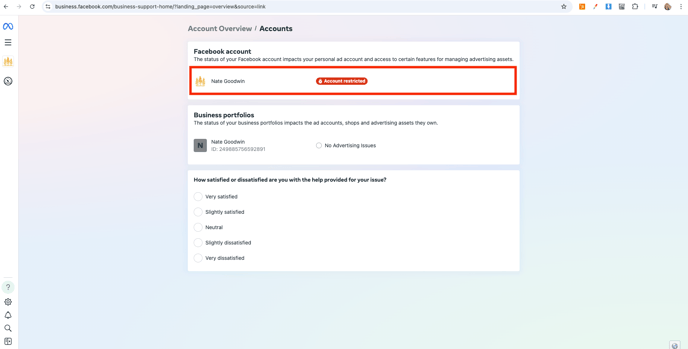
Locate the Facebook account that has a highlighted red warning stating 'Account Restricted'.
-
Click on the restricted Facebook account.
-
-
Review Restrictions and Disabled Assets
-
The Account Overview section will display any restrictions and outline which assets (such as Instagram linking) are affected.
-
-
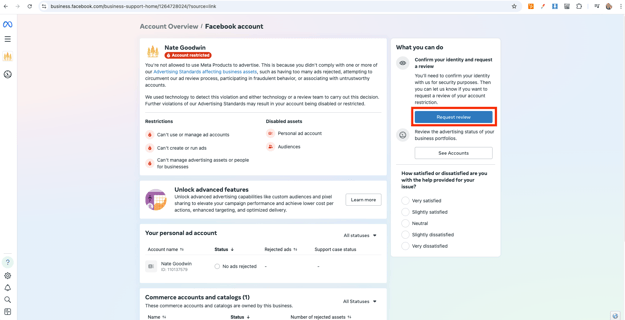
Request a Review
-
In the What Can You Do tab, click Request Review.
-
Follow the prompts to submit a review request to Meta.
-
Provide any necessary documentation or verification if prompted.
-